SALE
Laser Pointer Smart PPT Page Turning Pen Presenter With Laser Light 2.4G BT

Laser Pointer Smart PPT Page Turning Pen Presenter With Laser Light 2.4G BT

100-Meter Battery-Powered Presenter
No reviews yet
R 28.00R 33.60
🚚 Ships in 4-6 work days

100-Meter Battery-Powered Presenter

🛡️
Warranty
6-Month Limited Warranty.
↩️
Return Policy
Hassle-Free Exchanges & Returns for 7 Days.

Product Information

SKU99933861
Stock StatusIn Stock
Safe Checkout

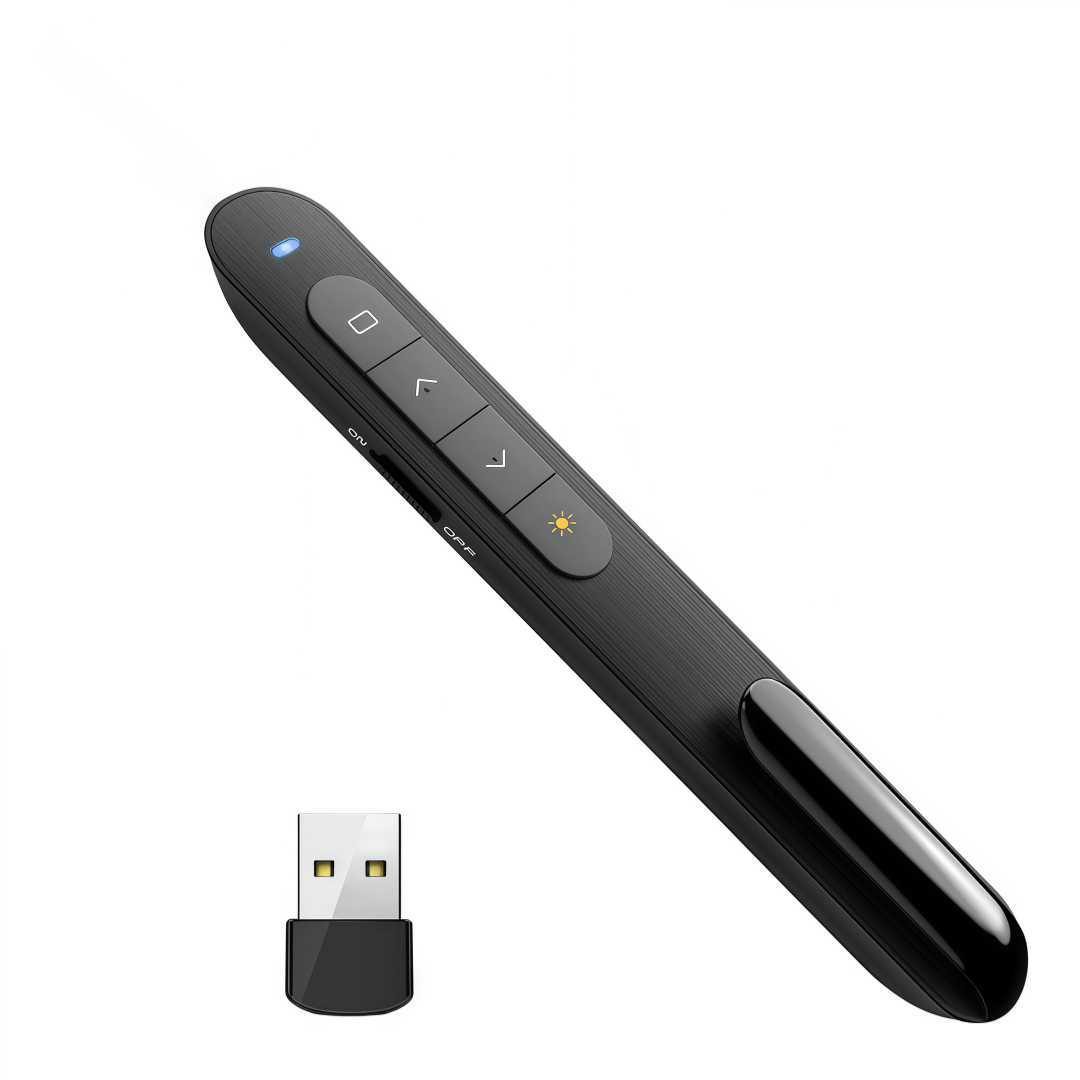
The GM200 presentation remote control operates wirelessly via a 2.4 GHz wireless USB receiver, which attaches magnetically to the bottom of the presenter for convenient operation. The wireless signal range reaches up to 100 meters in open spaces, so you don't have to worry about the size of the presentation room or the distance from the signal source (laptop or PC).

The presenter operates on one AAA battery (NOT included!), which is inserted into a special compartment on the back of the clicker.

  • Laser pointer - red color
  • Switch slides Forward/Backward
  • Full screen mode - you need to press and hold the "Forward" slide switch button
  • Black Screen - In full-screen mode, you must press and hold the "Back" slide switch button
  • Navigate through open windows - hold down the button with the rectangle image and select the desired window
  • Hyperlinks are managed using the button with the image of a rectangle: to select the required hyperlink, you need to click the button once; to open the hyperlink, you need to click the button twice.

What's in the box
1 x Laser Pointer Smart PPT Page Turning Pen Presenter With Laser Light 2.4G BT


The GM200 presentation remote control operates wirelessly via a 2.4 GHz wireless USB receiver, which attaches magnetically to the bottom of the presenter for convenient operation. The wireless signal range reaches up to 100 meters in open spaces, so you don't have to worry about the size of the presentation room or the distance from the signal source (laptop or PC).

The presenter operates on one AAA battery (NOT included!), which is inserted into a special compartment on the back of the clicker.

  • Laser pointer - red color
  • Switch slides Forward/Backward
  • Full screen mode - you need to press and hold the "Forward" slide switch button
  • Black Screen - In full-screen mode, you must press and hold the "Back" slide switch button
  • Navigate through open windows - hold down the button with the rectangle image and select the desired window
  • Hyperlinks are managed using the button with the image of a rectangle: to select the required hyperlink, you need to click the button once; to open the hyperlink, you need to click the button twice.

What's in the box
1 x Laser Pointer Smart PPT Page Turning Pen Presenter With Laser Light 2.4G BT

More in Mouse & Presentation