SALE
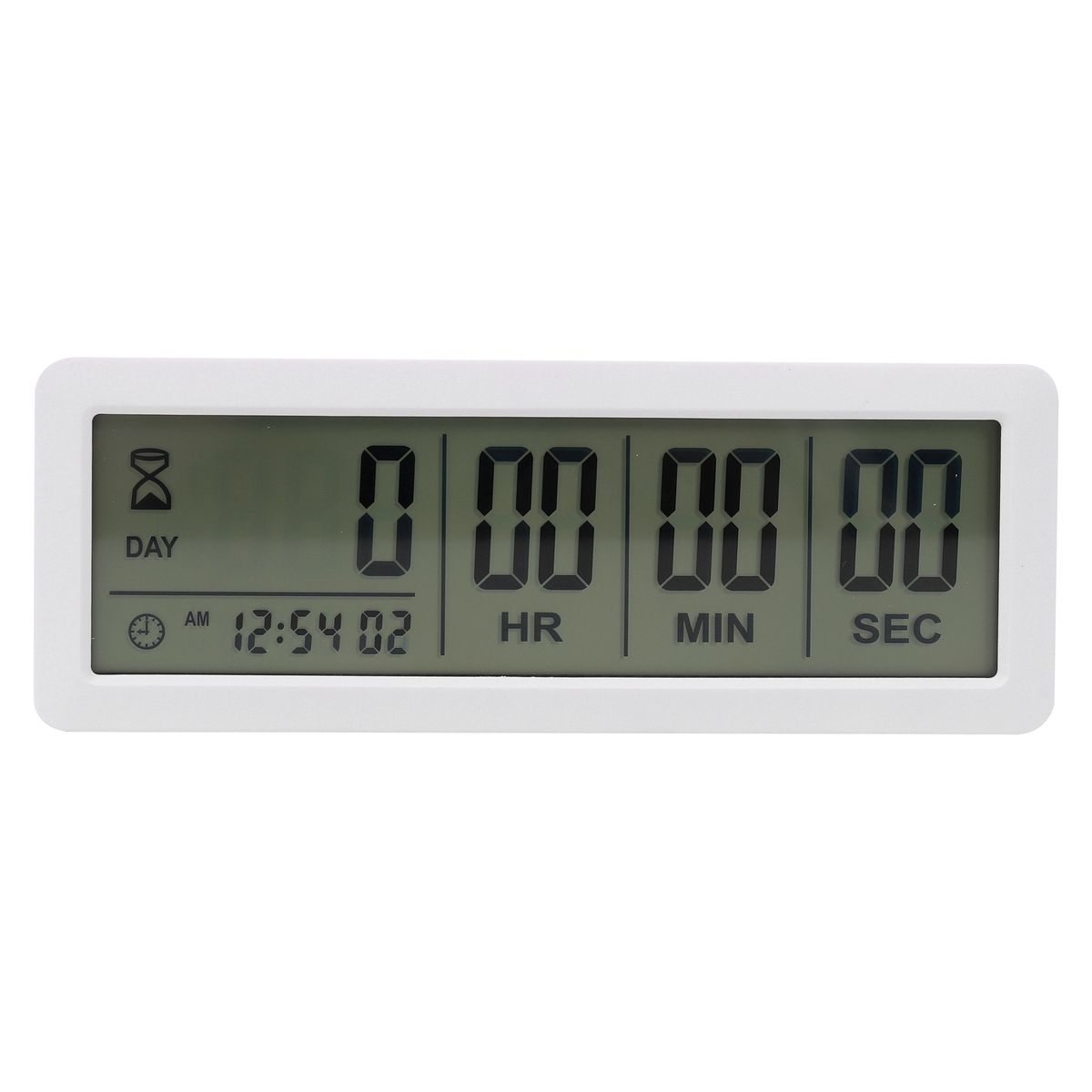
White 999 Days Count Down Clock Timer for Graduation Lab Kitchen

White 999 Days Count Down Clock Timer for Graduation Lab Kitchen

Brand: OEM
Features: - Long setting countdown time: 999 days, 23 hours, 59 minutes and 59 seconds. Upgraded version: bigger size. L…
No reviews yet
R 33.00R 34.24
🚚 Ships in 16-18 work days

Features: - Long setting countdown time: 999 days, 23 hours, 59 minutes and 59 seconds. Upgraded version: bigger size. LCD screen size:13.8cmx4cm/5.4x1.6in. - It will alarm for sixty seconds when arri...

🛡️
Warranty
6-Month Limited Warranty.
↩️
Return Policy
Hassle-Free Exchanges & Returns for 7 Days.

Product Information

SKU99139943
Stock StatusIn Stock
Safe Checkout

Features:
- Long setting countdown time: 999 days, 23 hours, 59 minutes and 59 seconds.
Upgraded version: bigger size. LCD screen size:13.8cmx4cm/5.4x1.6in.
- It will alarm for sixty seconds when arriving at your setting number.
With clock function. You can switch between 12 and 24 hours systems.
- Easy to set: Two ways to place it. With magnet back and movable bracket.
- Wide application: vocation, wedding, new baby, retirement, meeting, study, and so on.
How to set clock:
- Hold the CLOCK button until you see the clock number "hour" start flashing.
- Press UP/START or DOWN to adjust that particular number.
- Keep hitting CLOCK to set minutes - seconds.
- Press CLOCK again to start.
- In the CLOCK mode, press the DOWN button to switch between 12 and 24 hours systems.
- How to set countdown time:
- Hold the SET button until you see a number start flashing.
- Push the SET button until you get to the number you want to change.
- Press UP/START or DOWN to adjust that particular number. Hold UP/START or DOWN, the number will change quickly.
- Keep hitting SET until the screen stops flashing.
- Press the UP/START button to start or pause the counting down.
- Press and hold the UP/START and DOWN buttons at the same time to reset to 0.
- Requires: Internal 2 x CR2032 batteries (Included)
Specifications:
- Colour: white
- Material: ABS
- Size: about 15.5x5.7x1.1cm

What's in the box
1 x Digital Timer Clock

Features:
- Long setting countdown time: 999 days, 23 hours, 59 minutes and 59 seconds.
Upgraded version: bigger size. LCD screen size:13.8cmx4cm/5.4x1.6in.
- It will alarm for sixty seconds when arriving at your setting number.
With clock function. You can switch between 12 and 24 hours systems.
- Easy to set: Two ways to place it. With magnet back and movable bracket.
- Wide application: vocation, wedding, new baby, retirement, meeting, study, and so on.
How to set clock:
- Hold the CLOCK button until you see the clock number "hour" start flashing.
- Press UP/START or DOWN to adjust that particular number.
- Keep hitting CLOCK to set minutes - seconds.
- Press CLOCK again to start.
- In the CLOCK mode, press the DOWN button to switch between 12 and 24 hours systems.
- How to set countdown time:
- Hold the SET button until you see a number start flashing.
- Push the SET button until you get to the number you want to change.
- Press UP/START or DOWN to adjust that particular number. Hold UP/START or DOWN, the number will change quickly.
- Keep hitting SET until the screen stops flashing.
- Press the UP/START button to start or pause the counting down.
- Press and hold the UP/START and DOWN buttons at the same time to reset to 0.
- Requires: Internal 2 x CR2032 batteries (Included)
Specifications:
- Colour: white
- Material: ABS
- Size: about 15.5x5.7x1.1cm

What's in the box
1 x Digital Timer Clock

More in Timers & Thermometers