SALE
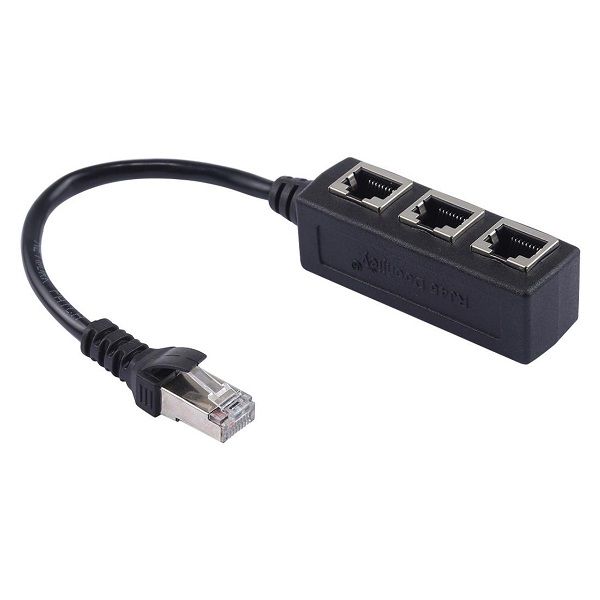
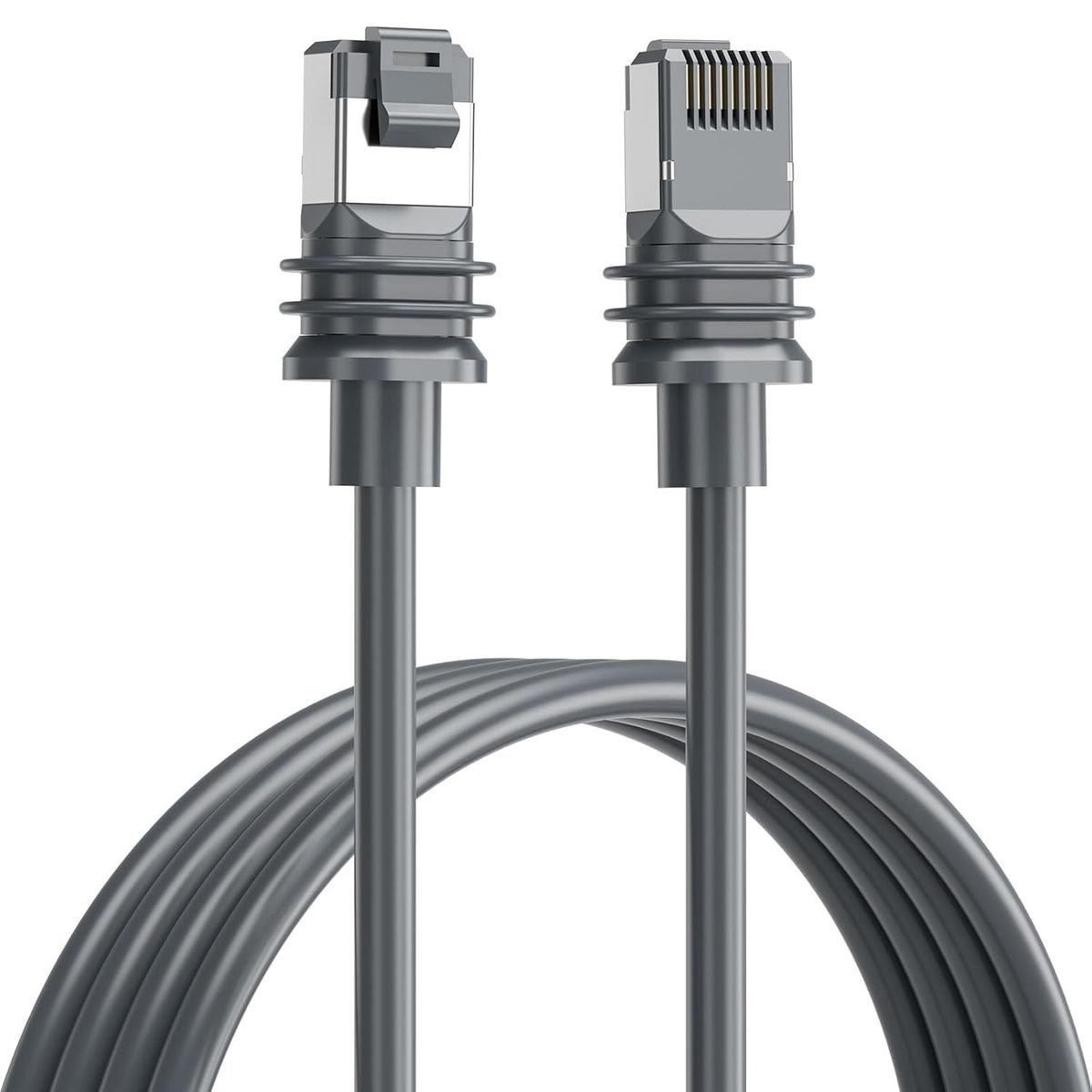
Onten CAT6E Premium High Speed Networking Ethernet Cable

Onten CAT6E Premium High Speed Networking Ethernet Cable

Ethernet Cable Termination: Crimping and Punching Down TechniquesTo connect two Ethernet cables, you can use a process c…
No reviews yet
FromR 14.84
⚠️ ACTION REQUIRED
Please select a product variation (size, color, etc.) to view the actual price

Ethernet Cable Termination: Crimping and Punching Down TechniquesTo connect two Ethernet cables, you can use a process called termination, which involves crimping and punching down techniques. Here&#x...

🛡️
Warranty
6-Month Limited Warranty.
↩️
Return Policy
Hassle-Free Exchanges & Returns for 7 Days.

Select Size

Product Information

SKU98575033
Stock StatusIn Stock
Safe Checkout

Ethernet Cable Termination: Crimping and Punching Down Techniques

To connect two Ethernet cables, you can use a process called termination, which involves crimping and punching down techniques. Here's a step-by-step guide on how to do it:

1. Gather the necessary tools: You'll need a crimping tool, Ethernet cables, RJ-45 connectors, and a wire stripper.

2. Strip the outer jacket: Use the wire stripper to carefully remove about an inch of the outer jacket from both ends of the Ethernet cables. Be cautious not to damage the inner wires.

3. Untwist and arrange the wires: Straighten the wires and arrange them according to the T568A or T568B wiring standard, which is commonly used for Ethernet connections. Make sure the wires are in the correct order.

4. Trim the wires: Use the wire stripper to trim the wires to the appropriate length, leaving about half an inch exposed.

5. Insert the wires into the RJ-45 connector: Carefully insert the wires into the RJ-45 connector, ensuring that each wire goes into the correct slot. Double-check the wiring order to avoid any mistakes.

6. Crimp the connector: Once the wires are properly inserted, use the crimping tool to firmly press the connector onto the cable. Apply enough pressure to ensure a secure connection.

7. Repeat the process for the other cable end: Follow the same steps for the other Ethernet cable, ensuring that the wiring order remains consistent.

8. Test the connection: Once both ends are terminated, you can test the connection by plugging the cables into your devices or using a cable tester to check for connectivity.

It's important to note that Ethernet cables have a maximum length of 100 meters (328 feet) for optimal performance. If you need to extend the length, consider using a switch or a repeater to maintain signal integrity.

In recent years, there have been advancements in Ethernet cable technology, such as the introduction of Cat6 and Cat6a cables. These cables offer higher data transmission speeds and better performance compared to older versions like Cat5e. When terminating Ethernet cables, make sure to use connectors that are compatible with the cable type you are working with.

Additionally, as technology evolves, there are alternatives to physical Ethernet cables, such as wireless connections and powerline adapters. These options provide flexibility and convenience in connecting devices without the need for direct cable connections. However, when it comes to reliability and maximum speed, a wired Ethernet connection remains the preferred choice for many applications.

Ethernet Cable Couplers and Adapters: Connecting Two Cables

Ethernet cables are widely used to establish a wired internet connection between devices. Sometimes, you may need to connect two Ethernet cables together to extend the reach or create a longer cable. This can be easily achieved using Ethernet cable couplers or adapters.

Ethernet cable couplers are small devices that allow you to connect two Ethernet cables together. They have female connectors on both ends, which means you can simply insert the male connectors of the two cables into the coupler. The coupler then creates a secure connection, ensuring the signal can pass through without any loss or interference.

Ethernet cable adapters, on the other hand, are slightly different. They have male connectors on both ends and are used to convert one type of Ethernet cable connector to another. For example, if you have a cable with an RJ-45 connector (commonly used in Ethernet connections) and another cable with an RJ-11 connector (commonly used in telephone connections), you can use an adapter to connect them together.

When connecting two Ethernet cables, it is important to ensure that both cables are securely inserted into the coupler or adapter. This will ensure a stable connection and prevent any signal loss. Additionally, it is recommended to use high-quality cables and couplers or adapters to maintain the integrity of the signal.

In recent years, with the increasing popularity of wireless networks, Ethernet cables may be less commonly used for home networks. However, they are still widely used in commercial environments, where a wired connection is preferred for its reliability and security.

Overall, connecting two Ethernet cables is a simple process that can be achieved using Ethernet cable couplers or adapters. These devices provide a convenient solution for extending the reach of your Ethernet connection or creating longer cables.

Ethernet Cable Extenders: Lengthening Your Network Connection

Ethernet cable extenders are a great solution when you need to lengthen your network connection. They allow you to connect two Ethernet cables together, effectively extending the reach of your network. So, how do you connect two Ethernet cables using an extender?

First, ensure that you have the necessary equipment. You will need two Ethernet cables, an Ethernet cable extender, and possibly a coupler. The extender is typically a small device that has two female Ethernet ports on either end.

To connect the cables, simply plug one end of the first Ethernet cable into one of the female ports on the extender. Then, plug one end of the second Ethernet cable into the other female port on the extender. If the cables do not reach each other, you can use a coupler to connect them. A coupler is a small device that has two female Ethernet ports on either end, allowing you to connect two Ethernet cables together.

Once the cables are connected, you can plug one end of the first cable into your router or modem, and the other end into your device, such as a computer or gaming console. The second cable can then be connected from the extender to another device, extending the network connection.

It is important to note that when using Ethernet cable extenders, it is best to use high-quality cables and extenders to ensure a reliable and stable connection. Additionally, keep in mind that the longer the cable length, the more likely you may experience signal degradation or slower network speeds.

In conclusion, connecting two Ethernet cables using an extender is a simple and effective way to lengthen your network connection. By following the steps mentioned above, you can easily extend the reach of your network and enjoy a seamless connection.

What's in the box
1 X Onten CAT6E High Speed Networking Ethernet Cable

Ethernet Cable Termination: Crimping and Punching Down Techniques

To connect two Ethernet cables, you can use a process called termination, which involves crimping and punching down techniques. Here's a step-by-step guide on how to do it:

1. Gather the necessary tools: You'll need a crimping tool, Ethernet cables, RJ-45 connectors, and a wire stripper.

2. Strip the outer jacket: Use the wire stripper to carefully remove about an inch of the outer jacket from both ends of the Ethernet cables. Be cautious not to damage the inner wires.

3. Untwist and arrange the wires: Straighten the wires and arrange them according to the T568A or T568B wiring standard, which is commonly used for Ethernet connections. Make sure the wires are in the correct order.

4. Trim the wires: Use the wire stripper to trim the wires to the appropriate length, leaving about half an inch exposed.

5. Insert the wires into the RJ-45 connector: Carefully insert the wires into the RJ-45 connector, ensuring that each wire goes into the correct slot. Double-check the wiring order to avoid any mistakes.

6. Crimp the connector: Once the wires are properly inserted, use the crimping tool to firmly press the connector onto the cable. Apply enough pressure to ensure a secure connection.

7. Repeat the process for the other cable end: Follow the same steps for the other Ethernet cable, ensuring that the wiring order remains consistent.

8. Test the connection: Once both ends are terminated, you can test the connection by plugging the cables into your devices or using a cable tester to check for connectivity.

It's important to note that Ethernet cables have a maximum length of 100 meters (328 feet) for optimal performance. If you need to extend the length, consider using a switch or a repeater to maintain signal integrity.

In recent years, there have been advancements in Ethernet cable technology, such as the introduction of Cat6 and Cat6a cables. These cables offer higher data transmission speeds and better performance compared to older versions like Cat5e. When terminating Ethernet cables, make sure to use connectors that are compatible with the cable type you are working with.

Additionally, as technology evolves, there are alternatives to physical Ethernet cables, such as wireless connections and powerline adapters. These options provide flexibility and convenience in connecting devices without the need for direct cable connections. However, when it comes to reliability and maximum speed, a wired Ethernet connection remains the preferred choice for many applications.

Ethernet Cable Couplers and Adapters: Connecting Two Cables

Ethernet cables are widely used to establish a wired internet connection between devices. Sometimes, you may need to connect two Ethernet cables together to extend the reach or create a longer cable. This can be easily achieved using Ethernet cable couplers or adapters.

Ethernet cable couplers are small devices that allow you to connect two Ethernet cables together. They have female connectors on both ends, which means you can simply insert the male connectors of the two cables into the coupler. The coupler then creates a secure connection, ensuring the signal can pass through without any loss or interference.

Ethernet cable adapters, on the other hand, are slightly different. They have male connectors on both ends and are used to convert one type of Ethernet cable connector to another. For example, if you have a cable with an RJ-45 connector (commonly used in Ethernet connections) and another cable with an RJ-11 connector (commonly used in telephone connections), you can use an adapter to connect them together.

When connecting two Ethernet cables, it is important to ensure that both cables are securely inserted into the coupler or adapter. This will ensure a stable connection and prevent any signal loss. Additionally, it is recommended to use high-quality cables and couplers or adapters to maintain the integrity of the signal.

In recent years, with the increasing popularity of wireless networks, Ethernet cables may be less commonly used for home networks. However, they are still widely used in commercial environments, where a wired connection is preferred for its reliability and security.

Overall, connecting two Ethernet cables is a simple process that can be achieved using Ethernet cable couplers or adapters. These devices provide a convenient solution for extending the reach of your Ethernet connection or creating longer cables.

Ethernet Cable Extenders: Lengthening Your Network Connection

Ethernet cable extenders are a great solution when you need to lengthen your network connection. They allow you to connect two Ethernet cables together, effectively extending the reach of your network. So, how do you connect two Ethernet cables using an extender?

First, ensure that you have the necessary equipment. You will need two Ethernet cables, an Ethernet cable extender, and possibly a coupler. The extender is typically a small device that has two female Ethernet ports on either end.

To connect the cables, simply plug one end of the first Ethernet cable into one of the female ports on the extender. Then, plug one end of the second Ethernet cable into the other female port on the extender. If the cables do not reach each other, you can use a coupler to connect them. A coupler is a small device that has two female Ethernet ports on either end, allowing you to connect two Ethernet cables together.

Once the cables are connected, you can plug one end of the first cable into your router or modem, and the other end into your device, such as a computer or gaming console. The second cable can then be connected from the extender to another device, extending the network connection.

It is important to note that when using Ethernet cable extenders, it is best to use high-quality cables and extenders to ensure a reliable and stable connection. Additionally, keep in mind that the longer the cable length, the more likely you may experience signal degradation or slower network speeds.

In conclusion, connecting two Ethernet cables using an extender is a simple and effective way to lengthen your network connection. By following the steps mentioned above, you can easily extend the reach of your network and enjoy a seamless connection.

What's in the box
1 X Onten CAT6E High Speed Networking Ethernet Cable

More in Networking Cables