SALE
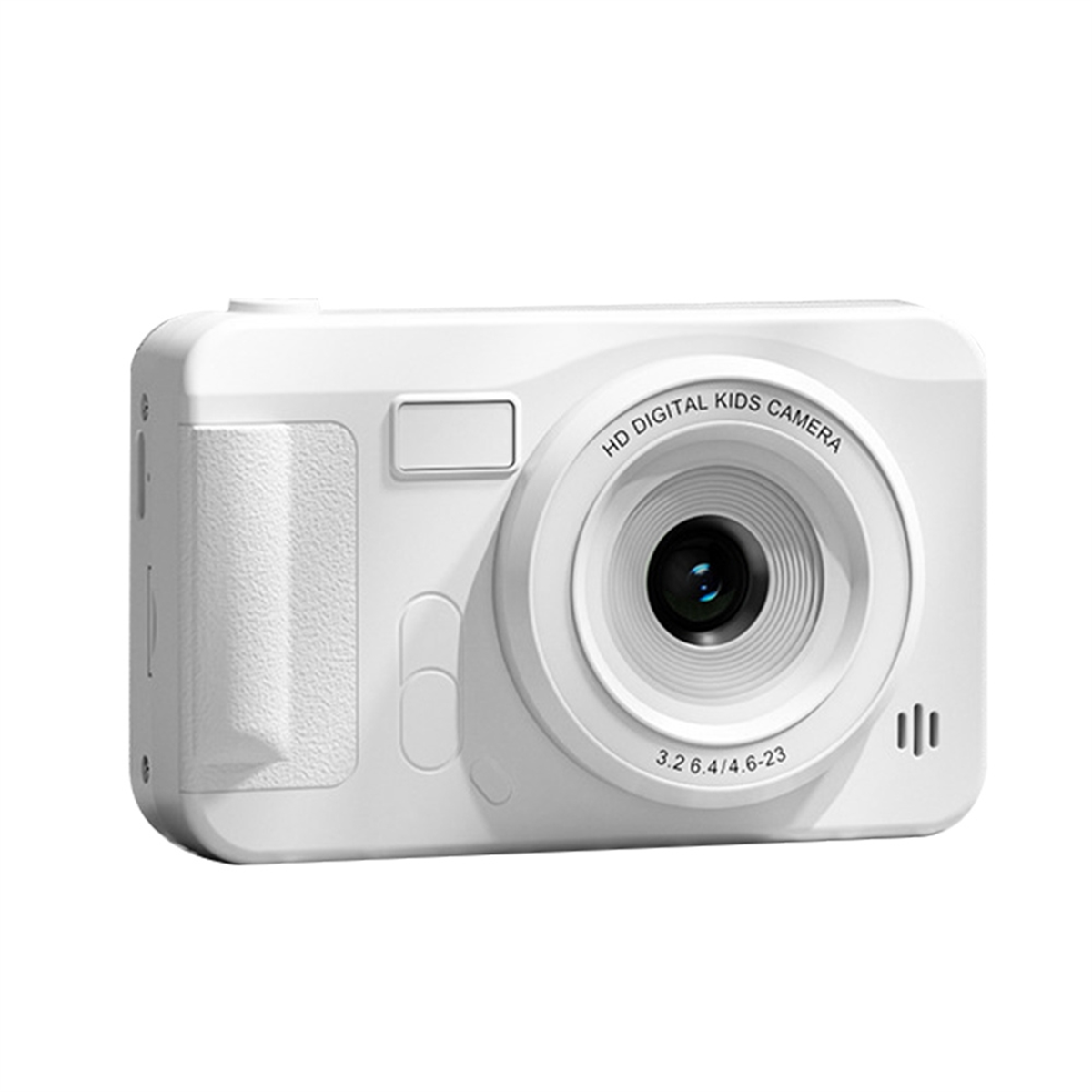
Kids Camera Gift - Blue 20MP Set

Kids Camera Gift - Blue 20MP Set

Food-grade ABS material, round and cornerless design, non-slip and abrasion resistance, comfortable for grip, care for s…
No reviews yet
R 47.00R 131.04
🚚 Ships in 16-18 work days

Food-grade ABS material, round and cornerless design, non-slip and abrasion resistance, comfortable for grip, care for skin of children. 15 photo stickers and 10 filters, record every moment of nature...

🛡️
Warranty
6-Month Limited Warranty.
↩️
Return Policy
Hassle-Free Exchanges & Returns for 7 Days.

Product Information

SKU102661478
Stock StatusIn Stock
Safe Checkout

Food-grade ABS material, round and cornerless design, non-slip and abrasion resistance, comfortable for grip, care for skin of children. 15 photo stickers and 10 filters, record every moment of nature and wonderfulness, support 5 games. Support front and rear dual camera, convenient for shooting and self-portrait, develop children's exploration ability. Specially gift for children, help to record the beautiful moments in the eyes of children. Built-in large-capacity battery, long battery life, happy and uninterrupted power for a whole day.Item Type: Children Camera

Material: Plastic

Screen Size: 2.0in IPS

Weight: Approx.167.0g/5.9oz

Photo Format: JPG

Video Format: AVI

Video Resolution: 1920x1080/1280x720/640x480

Features: Front and rear dual camera

Function: Photo/Video

Other Functions: Games/Photo Stickers/Filters

Language Types: Simplified Chinese, Chinese traditional, English, Italian, French and other languages

Storage Method: Memory Card (Maximum support 32G, need to be purchased separately)

Battery: Built-in Lthium Battery 400mAh

How to use:

Long press the power button to turn on, the blue indicator light will light up when the power is turned on; long press the power button again to shut down, and the blue indicator light is off at this time

In the video mode, short press the "mode button" to switch to the video mode, the upper right corner of the screen will display the video split rate and the video icon; short press the "video/photograph" button to start the video, the video indicator starts to flash to indicate that the video is working ;

In the camera mode, short press the "mode button" to switch to the camera mode, the upper right corner of the screen will display the camera resolution and camera icon; short press the "video/photo button" to take a photo, the indicator light flashes once when the photo is taken to indicate the completion of the photo.

Video/photo playback Short press the "mode key" key to switch to playback mode, the playback icon will be displayed at the upper right corner of the screen; short press the "up key" to select files upward, and short press the "down key" to select downwards File; Short press the "video, camera button" to play the selected video file;

Menu settings Short press the "Menu key" to call up the setting menu; short press the "Up key" or "Down key", you can cycle up and down among the setting items; select the setting item that needs to be changed, and pass Short press the "video, camera button" to confirm and ener the change;

Exit the setting menu; short press the "menu button" to exit the setting state; in the USB mode, connect the USB cable to the computer, and the child camera will automatically connect

USB can read and access video files or photo files in this mode

What's in the box

1 x Children Camera

1 x USB Cable

1 x Anti-Lost Strap

1 x Manual

What's in the box
1 x Cameras

Food-grade ABS material, round and cornerless design, non-slip and abrasion resistance, comfortable for grip, care for skin of children. 15 photo stickers and 10 filters, record every moment of nature and wonderfulness, support 5 games. Support front and rear dual camera, convenient for shooting and self-portrait, develop children's exploration ability. Specially gift for children, help to record the beautiful moments in the eyes of children. Built-in large-capacity battery, long battery life, happy and uninterrupted power for a whole day.Item Type: Children Camera

Material: Plastic

Screen Size: 2.0in IPS

Weight: Approx.167.0g/5.9oz

Photo Format: JPG

Video Format: AVI

Video Resolution: 1920x1080/1280x720/640x480

Features: Front and rear dual camera

Function: Photo/Video

Other Functions: Games/Photo Stickers/Filters

Language Types: Simplified Chinese, Chinese traditional, English, Italian, French and other languages

Storage Method: Memory Card (Maximum support 32G, need to be purchased separately)

Battery: Built-in Lthium Battery 400mAh

How to use:

Long press the power button to turn on, the blue indicator light will light up when the power is turned on; long press the power button again to shut down, and the blue indicator light is off at this time

In the video mode, short press the "mode button" to switch to the video mode, the upper right corner of the screen will display the video split rate and the video icon; short press the "video/photograph" button to start the video, the video indicator starts to flash to indicate that the video is working ;

In the camera mode, short press the "mode button" to switch to the camera mode, the upper right corner of the screen will display the camera resolution and camera icon; short press the "video/photo button" to take a photo, the indicator light flashes once when the photo is taken to indicate the completion of the photo.

Video/photo playback Short press the "mode key" key to switch to playback mode, the playback icon will be displayed at the upper right corner of the screen; short press the "up key" to select files upward, and short press the "down key" to select downwards File; Short press the "video, camera button" to play the selected video file;

Menu settings Short press the "Menu key" to call up the setting menu; short press the "Up key" or "Down key", you can cycle up and down among the setting items; select the setting item that needs to be changed, and pass Short press the "video, camera button" to confirm and ener the change;

Exit the setting menu; short press the "menu button" to exit the setting state; in the USB mode, connect the USB cable to the computer, and the child camera will automatically connect

USB can read and access video files or photo files in this mode

What's in the box

1 x Children Camera

1 x USB Cable

1 x Anti-Lost Strap

1 x Manual

What's in the box
1 x Cameras

More in Cameras