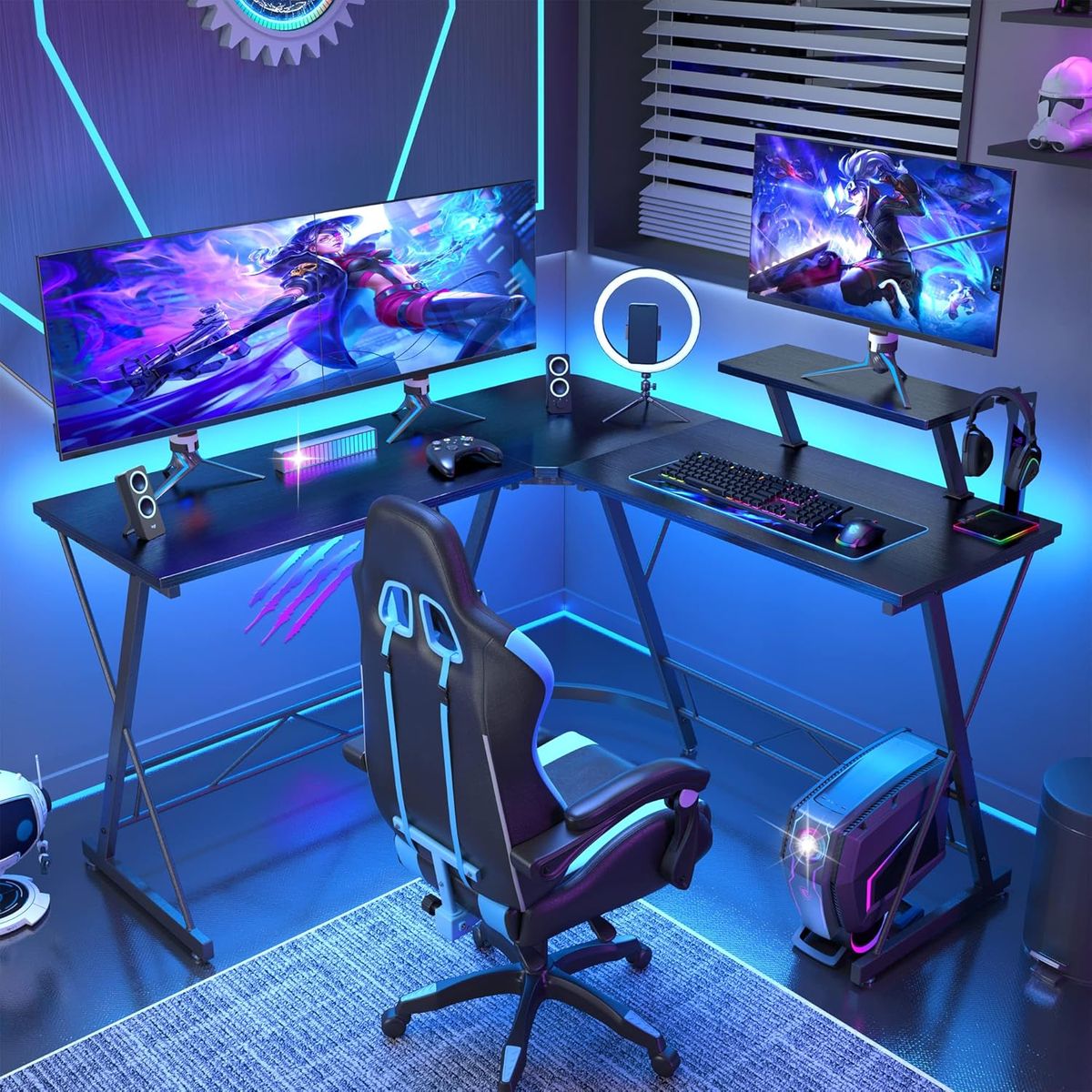
Part 1: What - Basic Product Info & Core Features
1. Complete Kit Configuration: 1 computer desk + full set assembly screw wrench; English installation manual included inside package.
2. Thickened K-Type Metal Frame: K-shaped thick metal support stand, uniform force distribution with strong load-bearing capacity, stable and anti-wobble.
3. Large Wide Black Desktop Panel: Spacious flat black waterproof & scratch-resistant board, smooth surface, stain-resistant and easy to wipe clean.
4. Built-In Cable Management Hole: Round cable routing hole on the upper desktop, convenient to organize messy power cords and data cables.
5. Minimalist Black Matching Appearance: Full black unified color scheme, sleek simple lines, matches most room decoration styles.
6. Multi-Scenario Application: Suitable for home office work, student study, gaming and daily writing use.
Part 2: Why - Core Advantages & Purchase Reasons
1. Ultra Stable & High Load-Bearing Structure: K-shaped metal frame disperses weight evenly, avoids shaking when typing or gaming, holds monitors, laptops and heavy books safely.
2. Easy Clean & Durable Desktop: Waterproof scratch-proof surface resists daily water spills, pen marks and abrasion, extends desk service life without obvious wear.
3. Tidy Cable Storage to Reduce Clutter: Reserved wire hole gathers all wires in one place, eliminates messy tangled cables on desktop for cleaner working space.
4. Universal Minimalist Black Design: All-black neutral style fits bedroom, apartment, dormitory, home office and game room without style conflict. 5. Large Desktop Offers Ample Space: Wide flat surface supports dual monitors, keyboard, mouse, notebooks and desk decorations at the same time.
6. Cost-Effective All-in-One Set: Comes with all assembly hardware and English instruction, no extra tools or guides needed after receiving the package.
Part 3: How - Assembly, Usage & Daily Maintenance Guide
How to assemble the K-shaped computer desk
1. Lay all metal K frame legs and desktop flat on the ground, prepare the matched screw wrench.
2. Follow the English manual to connect K-type metal brackets and cross support bars with screws, tighten all joints firmly.
3. Fix the black desktop panel onto the installed metal frame, lock every connecting screw to ensure no looseness.
4. Thread all monitor, charger and keyboard cables through the round cable hole before placing electronics on the desk.
How to use the desk for different scenes
1. Office & Study: Place laptop, monitor, textbooks and stationery on the wide desktop for writing, document editing and online classes.
2. Gaming Setup: Support large gaming monitors, keyboard, mouse and game accessories; stable frame avoids shaking during intense gaming.
3. Daily Storage: Put desk lamp, potted plants and small ornaments on the desktop to decorate bedroom or study room.
How to maintain and clean the desk long-term
1. Daily Cleaning: Wipe dust, coffee stains and ink marks on the waterproof desktop with damp cloth directly, no special detergent required.
2. Frame Maintenance: Regularly check and retighten loose screws on K metal legs to keep the desk stable.
3. Anti-Scratch Tip: Place soft mats under sharp heavy items to prevent scratching the desktop panel surface.
4. Wire Management: Collect all excess cables and pass them through the routing hole regularly to avoid messy winding.
What's in the box
1 x K Shaped Gaming Computer Desk Home Workstation