SALE
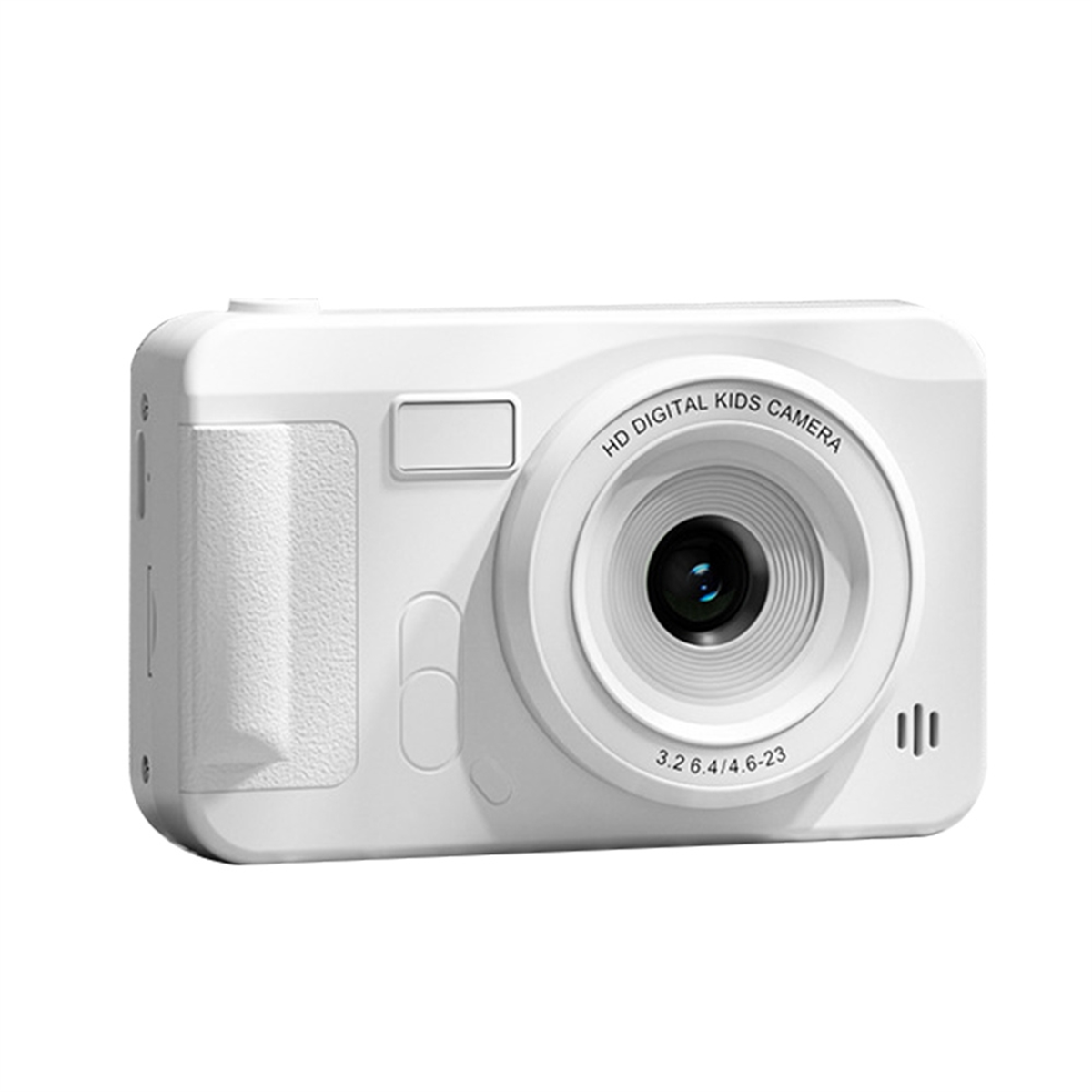
Blue Boat Kids Digital Camera Gift

Blue Boat Kids Digital Camera Gift

Food-grade ABS material, round and cute shape design, non-slip and friction-resistant, comfortable and gentle grip, care…
No reviews yet
R 49.00R 112.93
🚚 Ships in 16-18 work days

Food-grade ABS material, round and cute shape design, non-slip and friction-resistant, comfortable and gentle grip, care for the tender skin of children. 15 kinds of cartoon photo frames, 8 kinds of s...

🛡️
Warranty
6-Month Limited Warranty.
↩️
Return Policy
Hassle-Free Exchanges & Returns for 7 Days.

Product Information

SKU102661482
Stock StatusIn Stock
Safe Checkout

Food-grade ABS material, round and cute shape design, non-slip and friction-resistant, comfortable and gentle grip, care for the tender skin of children. 15 kinds of cartoon photo frames, 8 kinds of special effects, catch every moment of nature and excitement, and support multiple games at the same time. Large-capacity 1000mAh battery, strong endurance, USB interface easily replenish power. A fun camera specially made for children, it is a better gift than mobile phones and game consoles to allow children to explore their own world. 5 With 2.4 inch IPS display, supported languages of English, Chinese, Italian, French, etc.Item Type: Children Camera

Material: ABS

Color: As Pictures Shown

Weight: Approx. 196g/6.9oz

Screen: 2.4 inch IPS screen

Photo resolution: 20MP

Video resolution: 1920x1080/1280x720/640x480

Photo format: JPG

Video format: AVI

Preview mode: video, image playback

Optical frequency: 50/60 hz

Language: Simplified Chinese, Chinese Traditional, English, Italian, French, etc

Game: for Gluttonous Snake

Battery: Built-in lithium battery 1000mAh

How to use:

Long press the power button to turn on, the blue indicator light will light up when the power is turned on; long press the power button again to shut down, and the blue indicator light is off at this time

In video mode, short press the "mode button" to switch to the video mode, the upper right corner of the screen will display the video rate and video icon respectively; short press the "video/photograph" button to start video, the video indicator starts to flash to indicate that the video is working ;

In the camera mode, short press the "mode button" to switch to the camera mode, the upper right corner of the screen will display the camera resolution and camera icon; short press the "video/photo button" to take a photo, the indicator light flashes once when the photo is taken to indicate the completion of the photo.

Video/photo playback Short press the "mode key" key to switch to playback mode, and the playback icon will be displayed at the upper right corner of the screen; short press the "up key" to select files upward, and short press the "down key" to select downwards File; Short press the "video, camera button" to play the selected video file;

Menu settings Short press the "menu key" to call up the setting menu; by short pressing the "up key" or "down key", you can cycle up and down among the setting items; select the setting item that needs to be changed, and pass Short press the "video, camera button" to confirm and enter the change;

Exit the setting menu; short press the "menu button" to exit the setting state; in USB mode, connect the USB cable to the computer, and the children's camera will automatically connect

USB can read and access video files or photo files in this mode

What's in the box

1 x Children Camera

1 x Charging Cable

1 x Manual

1 x Anti-lost Rope

What's in the box
1 x Cameras

Food-grade ABS material, round and cute shape design, non-slip and friction-resistant, comfortable and gentle grip, care for the tender skin of children. 15 kinds of cartoon photo frames, 8 kinds of special effects, catch every moment of nature and excitement, and support multiple games at the same time. Large-capacity 1000mAh battery, strong endurance, USB interface easily replenish power. A fun camera specially made for children, it is a better gift than mobile phones and game consoles to allow children to explore their own world. 5 With 2.4 inch IPS display, supported languages of English, Chinese, Italian, French, etc.Item Type: Children Camera

Material: ABS

Color: As Pictures Shown

Weight: Approx. 196g/6.9oz

Screen: 2.4 inch IPS screen

Photo resolution: 20MP

Video resolution: 1920x1080/1280x720/640x480

Photo format: JPG

Video format: AVI

Preview mode: video, image playback

Optical frequency: 50/60 hz

Language: Simplified Chinese, Chinese Traditional, English, Italian, French, etc

Game: for Gluttonous Snake

Battery: Built-in lithium battery 1000mAh

How to use:

Long press the power button to turn on, the blue indicator light will light up when the power is turned on; long press the power button again to shut down, and the blue indicator light is off at this time

In video mode, short press the "mode button" to switch to the video mode, the upper right corner of the screen will display the video rate and video icon respectively; short press the "video/photograph" button to start video, the video indicator starts to flash to indicate that the video is working ;

In the camera mode, short press the "mode button" to switch to the camera mode, the upper right corner of the screen will display the camera resolution and camera icon; short press the "video/photo button" to take a photo, the indicator light flashes once when the photo is taken to indicate the completion of the photo.

Video/photo playback Short press the "mode key" key to switch to playback mode, and the playback icon will be displayed at the upper right corner of the screen; short press the "up key" to select files upward, and short press the "down key" to select downwards File; Short press the "video, camera button" to play the selected video file;

Menu settings Short press the "menu key" to call up the setting menu; by short pressing the "up key" or "down key", you can cycle up and down among the setting items; select the setting item that needs to be changed, and pass Short press the "video, camera button" to confirm and enter the change;

Exit the setting menu; short press the "menu button" to exit the setting state; in USB mode, connect the USB cable to the computer, and the children's camera will automatically connect

USB can read and access video files or photo files in this mode

What's in the box

1 x Children Camera

1 x Charging Cable

1 x Manual

1 x Anti-lost Rope

What's in the box
1 x Cameras

More in Cameras