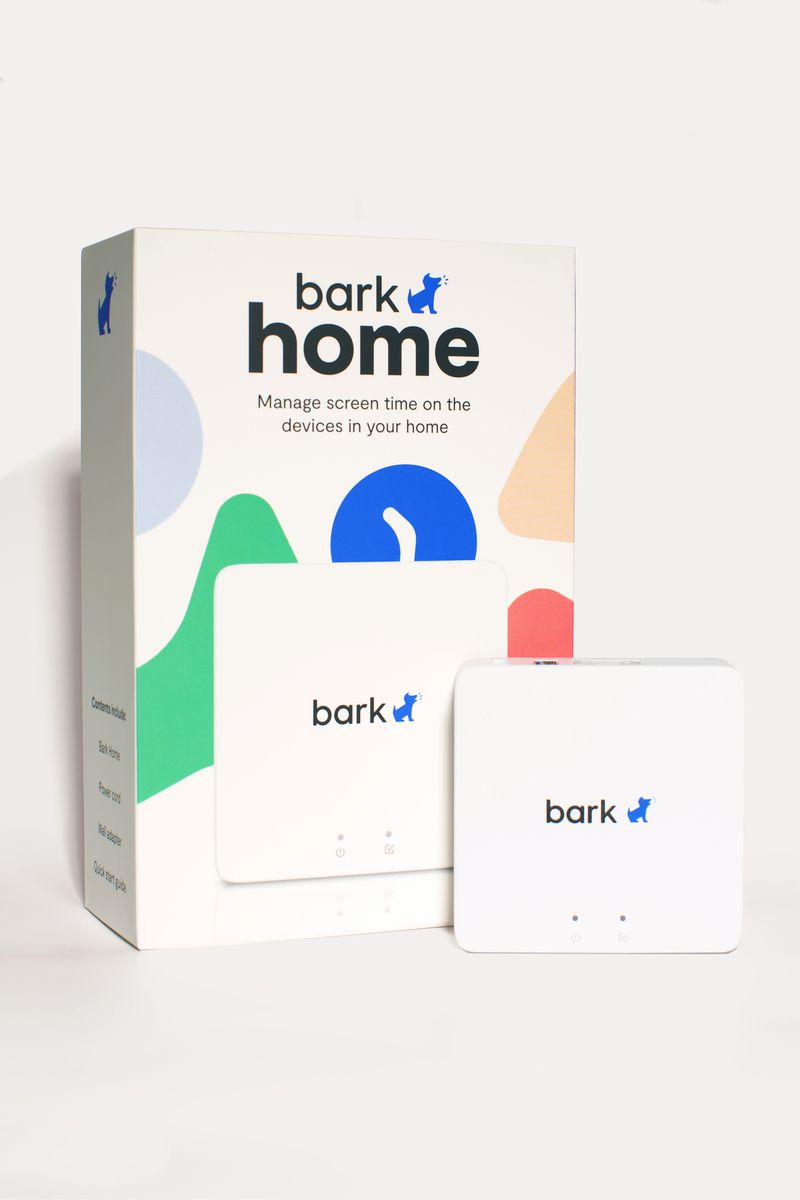
Bark Home 5100

Bark Home 5100

Brand: Bark
The internet filter for families raising children in the digital age
No reviews yet
R 172.57
🚚 Ships in 3-5 work days

The internet filter for families raising children in the digital age

🛡️
Warranty
12-Month Limited Warranty.
↩️
Return Policy
Hassle-Free Exchanges & Returns for 7 Days.

Product Information

SKU99466520
Stock StatusIn Stock
Safe Checkout

Buy Now, Pay Later

Split your purchase into easy payments

Interest Rate0% Interest
Payment Period6 months
  • 15% deposit then pay monthly - that's only R 25.89 upfront!
  • No interest - you only pay the product price
  • Quick approval - decision within 1-2 business days
  • Secure - ID verification required for your protection

Raising children is already hard. Raising children in a digital age is even harder. Let the Bark Home 5100 help you keep your children safe and protected from harmful and inappropriate content while connected to the internet.

What is the Bark Home 5100?
The Bark Home 5100 is a discreet, easy to install device that enables parents to manage and protect the internet access across all connected household devices. The device connects via Ethernet to your home Wi-Fi router and uses intuitive LED indicators for installation.


What can the Bark Home 5100 do?

  • Cover every device in your home - from Smartphones to TV's and Nintendo's to PlayStations. Easily manage the times that your children can use the devices.
  • Set custom schedules - Different times of the day, needs different screen times. Choose when to block or allow access to gaming and streaming sites.
  • Pause the internet - Let your children have a break from the internet by easily pausing it.
  • Create automatic bedtimes - Decide what your screen time rules are close to bedtime and manage them seamlessly
  • Block apps and games - You can turn off the access to apps and games on various devices
  • Filter websites - Allow or block specific websites or whole categories
  • Mandatory safe search - Your child will not be able to turn off the mandatory safe search function on platforms like YouTube, Google, Bing and more across all home devices.
  • Different profiles for different devices and children - Create different screen times and bedtime schedules for different devices and children based on their age and internet activity.

Setting up the Bark Home 5100

1. Plug it in - the Bark Home 5100 connects via Ethernet to you home Wi-Fi router

2. Scan the QR code on the quick start guide and follow the prompts to set up your account.

3. Add and customise the different devices in your home according to your family's needs.

What's in the box
1 x Bark Home 5100
1 x Power Supply Unit
1 x LAN Cable
1 x Quick Start Guide

Raising children is already hard. Raising children in a digital age is even harder. Let the Bark Home 5100 help you keep your children safe and protected from harmful and inappropriate content while connected to the internet.

What is the Bark Home 5100?
The Bark Home 5100 is a discreet, easy to install device that enables parents to manage and protect the internet access across all connected household devices. The device connects via Ethernet to your home Wi-Fi router and uses intuitive LED indicators for installation.


What can the Bark Home 5100 do?

  • Cover every device in your home - from Smartphones to TV's and Nintendo's to PlayStations. Easily manage the times that your children can use the devices.
  • Set custom schedules - Different times of the day, needs different screen times. Choose when to block or allow access to gaming and streaming sites.
  • Pause the internet - Let your children have a break from the internet by easily pausing it.
  • Create automatic bedtimes - Decide what your screen time rules are close to bedtime and manage them seamlessly
  • Block apps and games - You can turn off the access to apps and games on various devices
  • Filter websites - Allow or block specific websites or whole categories
  • Mandatory safe search - Your child will not be able to turn off the mandatory safe search function on platforms like YouTube, Google, Bing and more across all home devices.
  • Different profiles for different devices and children - Create different screen times and bedtime schedules for different devices and children based on their age and internet activity.

Setting up the Bark Home 5100

1. Plug it in - the Bark Home 5100 connects via Ethernet to you home Wi-Fi router

2. Scan the QR code on the quick start guide and follow the prompts to set up your account.

3. Add and customise the different devices in your home according to your family's needs.

What's in the box
1 x Bark Home 5100
1 x Power Supply Unit
1 x LAN Cable
1 x Quick Start Guide

More in Networking Hubs