SALE
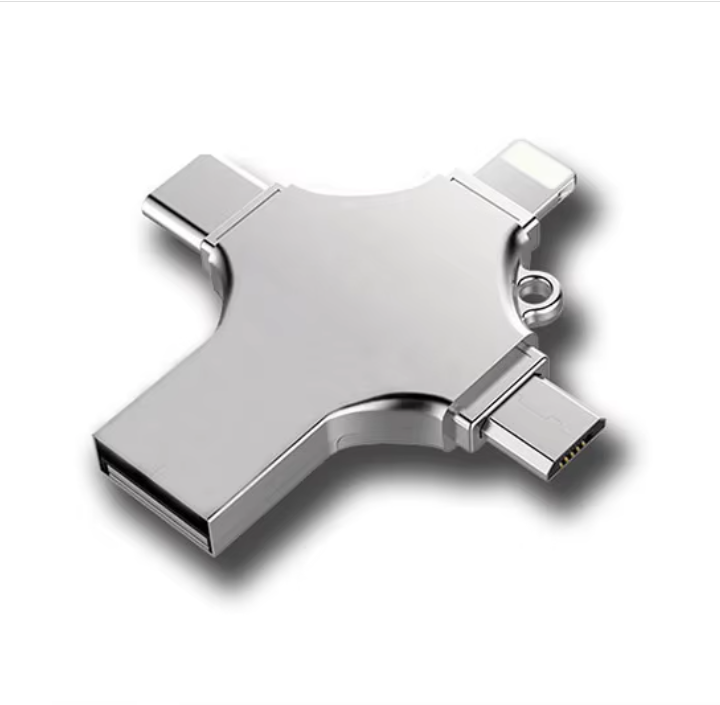
4 in 1 USB 3.0 to Type C/Lighting/Micro OTG Adapter USB Flash Drive - 1TB

4 in 1 USB 3.0 to Type C/Lighting/Micro OTG Adapter USB Flash Drive - 1TB

USB 3.0 to Type C/Lighting/Micro OTG Adapter Cell Phone Connects To USB Flash Drive Reader Card
3.02 Reviews
FromR 26.97
🚚 Ships in 16-18 work days
⚠️ ACTION REQUIRED
Please select a product variation (size, color, etc.) to view the actual price

USB 3.0 to Type C/Lighting/Micro OTG Adapter Cell Phone Connects To USB Flash Drive Reader Card

🛡️
Warranty
6-Month Limited Warranty.
↩️
Return Policy
Hassle-Free Exchanges & Returns for 7 Days.

Select Colour

Product Information

SKU98886945
Stock StatusIn Stock
Safe Checkout

4 in 1 USB 3.0 to Type C/Lighting/Micro OTG Adapter Cell Phone Connects To USB Flash Drive Reader Card For Iphone Samsung XiaomiSupports hot plug & play, High speed USB 3.0 port

No physical drive required

Plug-and-play; no external power supply required, USB bus-powered

Support all current computer systems

Speeds vary depending on types of file being transferred and computer configuration.

Warm Tips:

1. To avoid data loss or mechanical damage, do not power down your computer or unplug flash disk during transfer.

2. Please do not remove your USB flash drive when it is being used otherwise your data may loss.

3. After using USB flash drive, it is better to remove it as soon as possible. That will help to extend its storage lifetime.

4. Please do not format your USB flash drive frequently, otherwise the USB will be damaged easily.

What's in the box
1 x 4 in 1 OTG usb flash drive

4 in 1 USB 3.0 to Type C/Lighting/Micro OTG Adapter Cell Phone Connects To USB Flash Drive Reader Card For Iphone Samsung XiaomiSupports hot plug & play, High speed USB 3.0 port

No physical drive required

Plug-and-play; no external power supply required, USB bus-powered

Support all current computer systems

Speeds vary depending on types of file being transferred and computer configuration.

Warm Tips:

1. To avoid data loss or mechanical damage, do not power down your computer or unplug flash disk during transfer.

2. Please do not remove your USB flash drive when it is being used otherwise your data may loss.

3. After using USB flash drive, it is better to remove it as soon as possible. That will help to extend its storage lifetime.

4. Please do not format your USB flash drive frequently, otherwise the USB will be damaged easily.

What's in the box
1 x 4 in 1 OTG usb flash drive

More in Flash Drives