SALE
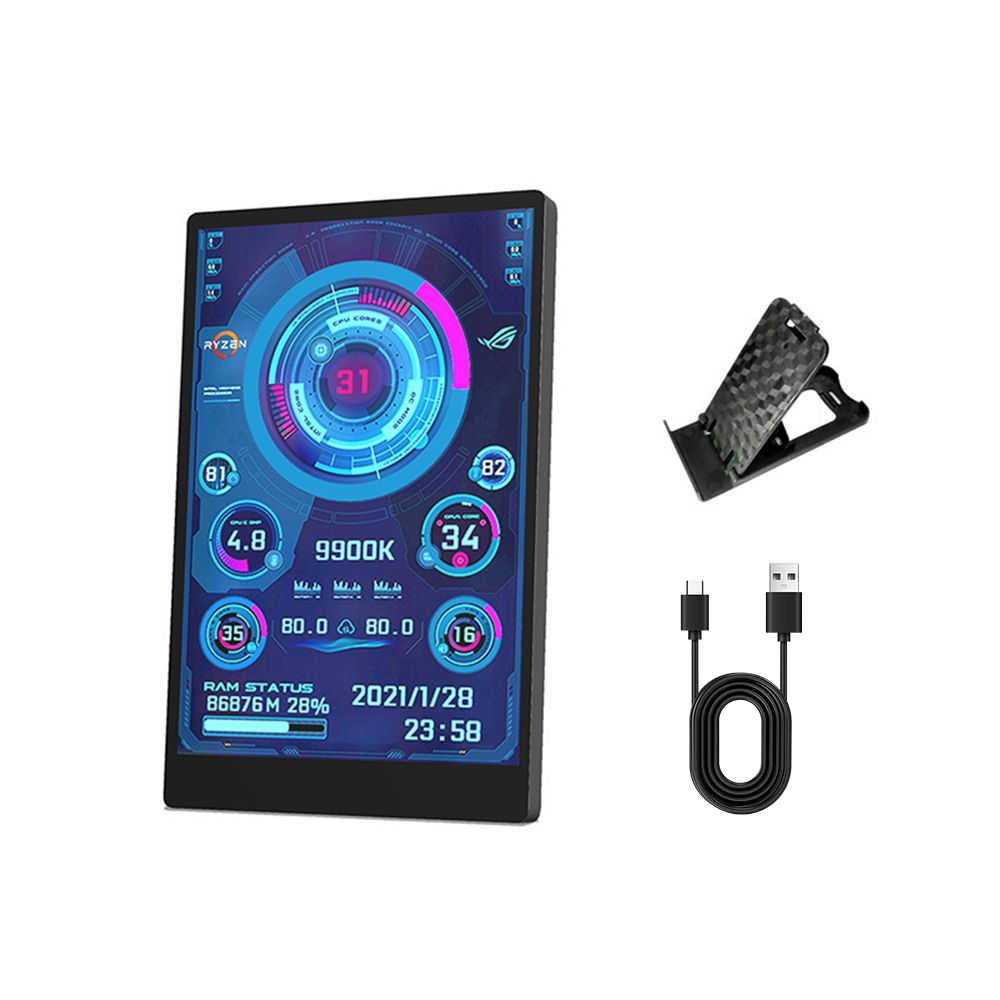
3.5-inch computer small secondary screen, USB-C chassis secondary screen

3.5-inch computer small secondary screen, USB-C chassis secondary screen

3.5-inch computer small secondary screen IPS full view USB-C chassis secondary screen
4.47 Reviews
R 47.00R 49.65
🚚 Ships in 3-5 work days

3.5-inch computer small secondary screen IPS full view USB-C chassis secondary screen

🛡️
Warranty
6-Month Limited Warranty.
↩️
Return Policy
Hassle-Free Exchanges & Returns for 7 Days.

Product Information

SKU97565594
Stock StatusIn Stock
Safe Checkout

3.5-inch IPS TYPE-C secondary screen computer monitor, suitable for computer CPU, GPU, RAM, HDD display, USB display, no need for AIDA64
Software Download
https://www.turzx.com/2021/11/09/download/
Suitable for 3.5-inch IPS auxiliary screen
https://lgb123-1253504678.cos.ap-beijing.myqcloud.com/35inchENG.rar
[Product Parameters]
Display area: 49 x 74mm
Size: 55 x 85mm
Resolution: 320 x 480
Thickness: 7-8mm
Perspective: IPS Full View
Interface: USB-TYPE
Shell material: metal
[Features]
Only one USB Type-C cable is needed for use, no HDMI cable is needed
Windows only
Using built-in software without the need for assistance 64
Support screen horizontal and vertical switching, 360 rotation
energy conservation and environmental protection
Automatically turn off the screen after shutdown
Comfortable eye protection
Stepless brightness adjustment
Type-C connected to auxiliary screen, USB connected to computer
Professional software, one click operation, one click switching
One click background image
Switch themes
Brightness adjustment automatically starts
Set city weather forecast
[Software Download Link]
Software:
https://lgb123-1253504678.cos.ap-beijing.myqcloud.com/35inchENG.rar
Wallpaper:
https://lgb123-1253504678.cos.ap-beijing.myqcloud.com/Wall.rar
1. How to use it?
Connect the mini auxiliary screen to the computer and launch our custom software without the need for auxiliary 64 or other complex settings
Why doesn't graphics card data move?
Ordinary laptop users typically use a separate monitor in standby mode, using only the core monitor to save power, while the auxiliary monitor monitors the most important separate monitor. Of course, the graphics card monitoring data has not changed.
3. Can other content be displayed?
No, only the content of custom software settings can be displayed
4. USB interface version?
USB 1.0 USB 2.0 USB 3.0 Unlimited, as long as it is USB

What's in the box
1 x Chassis secondary screen
1 x Bracket
1 x USB data cable

3.5-inch IPS TYPE-C secondary screen computer monitor, suitable for computer CPU, GPU, RAM, HDD display, USB display, no need for AIDA64
Software Download
https://www.turzx.com/2021/11/09/download/
Suitable for 3.5-inch IPS auxiliary screen
https://lgb123-1253504678.cos.ap-beijing.myqcloud.com/35inchENG.rar
[Product Parameters]
Display area: 49 x 74mm
Size: 55 x 85mm
Resolution: 320 x 480
Thickness: 7-8mm
Perspective: IPS Full View
Interface: USB-TYPE
Shell material: metal
[Features]
Only one USB Type-C cable is needed for use, no HDMI cable is needed
Windows only
Using built-in software without the need for assistance 64
Support screen horizontal and vertical switching, 360 rotation
energy conservation and environmental protection
Automatically turn off the screen after shutdown
Comfortable eye protection
Stepless brightness adjustment
Type-C connected to auxiliary screen, USB connected to computer
Professional software, one click operation, one click switching
One click background image
Switch themes
Brightness adjustment automatically starts
Set city weather forecast
[Software Download Link]
Software:
https://lgb123-1253504678.cos.ap-beijing.myqcloud.com/35inchENG.rar
Wallpaper:
https://lgb123-1253504678.cos.ap-beijing.myqcloud.com/Wall.rar
1. How to use it?
Connect the mini auxiliary screen to the computer and launch our custom software without the need for auxiliary 64 or other complex settings
Why doesn't graphics card data move?
Ordinary laptop users typically use a separate monitor in standby mode, using only the core monitor to save power, while the auxiliary monitor monitors the most important separate monitor. Of course, the graphics card monitoring data has not changed.
3. Can other content be displayed?
No, only the content of custom software settings can be displayed
4. USB interface version?
USB 1.0 USB 2.0 USB 3.0 Unlimited, as long as it is USB

What's in the box
1 x Chassis secondary screen
1 x Bracket
1 x USB data cable

More in Cases & Chassis