SALE
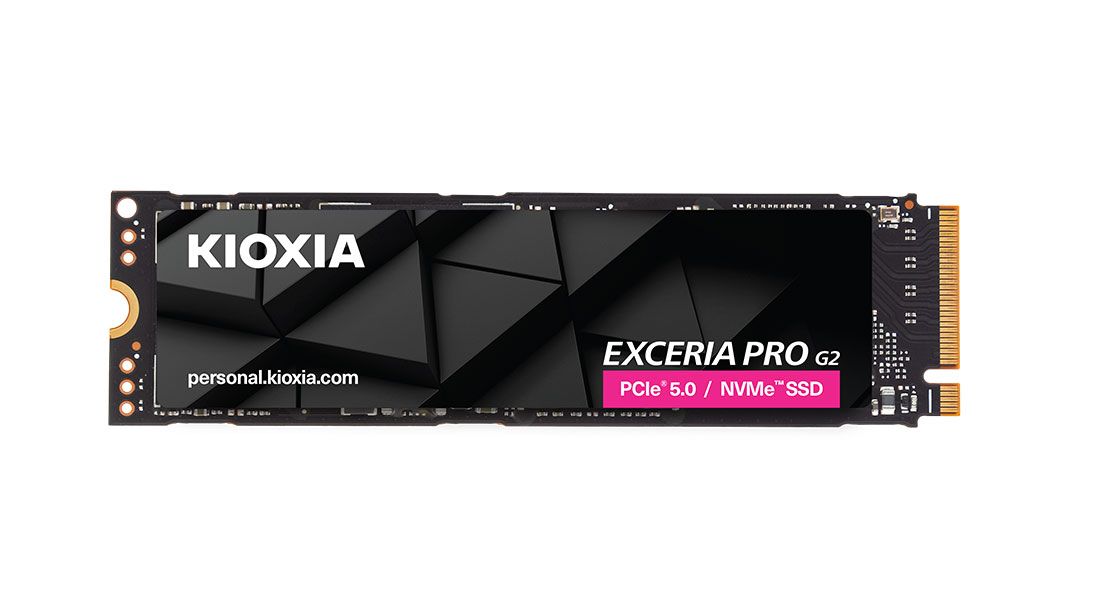
256GB Super Fast OEM NVMe M.2 2242 SSD - Ultra-Fast PCIe Solid State Drive

256GB Super Fast OEM NVMe M.2 2242 SSD - Ultra-Fast PCIe Solid State Drive

High-Speed PCIe NVMe Storage | Up to 1,700MB/s Read | Compact OEM Design
5.02 Reviews
R 107.00R 111.89
🚚 Ships in 3-5 work days

High-Speed PCIe NVMe Storage | Up to 1,700MB/s Read | Compact OEM Design

🛡️
Warranty
12-Month Limited Warranty.
↩️
Return Policy
Hassle-Free Exchanges & Returns for 7 Days.

Product Information

SKU100967261
Stock StatusIn Stock
Safe Checkout

Buy Now, Pay Later

Split your purchase into easy payments

Interest Rate0% Interest
Payment Period3 months
Sale Product - Fixed Term
  • 30% deposit then pay monthly - that's only R 32.10 upfront!
  • No interest - you only pay the product price
  • Quick approval - decision within 1-2 business days
  • Secure - ID verification required for your protection

Instructions for Initializing and Formatting an NVMe SSD

This procedure is required if you plan to use the NVMe SSD as a portable drive (with an enclosure) or as a secondary SSD in your PC.

Steps for Windows 10/11 Initialization and Formatting:

  1. Connect the SSD to your PC.
  2. Open Disk Management: Right-click the Start button and select Disk Management.
  3. Initialize the Disk:
    • If the "Initialize Disk" pop-up appears automatically, select GPT (GUID Partition Table) and click OK.
    • If no pop-up appears, locate the new drive (it will be marked as "Unknown" and "Not Initialized"), right-click it, and select Initialize Disk.
  4. Create a New Volume: Right-click the unallocated space on the newly initialized drive and select New Simple Volume.
  5. Follow the New Simple Volume Wizard:
    • Specify Volume Size: Keep the default (maximum) size.
    • Assign Drive Letter: Choose any available drive letter.
    • Format Partition:
      • Select NTFS as the file system (default).
      • Ensure Perform a quick format is checked.

Click Finish to complete the process.

Product Description

The 256GB Super Fast OEM NVMe M.2 SSD delivers high-speed PCIe performance in a compact, reliable form factor, making it ideal for laptops, desktops, and space-constrained systems that support NVMe storage. Designed for fast data access and smooth system responsiveness, it significantly improves boot times, application loading, and overall performance compared to SATA SSDs and traditional hard drives.

With sequential read speeds of up to 1,700MB/s and write speeds of up to 1,100MB/s, this NVMe SSD is built for everyday computing, system upgrades, and professional use. Advanced technologies such as end-to-end data path protection, SmartECC, LDPC, and NANDXtend ECC help ensure data integrity and extend the lifespan of the NAND flash.

Thermal throttling technology actively manages heat during heavy workloads, maintaining stable performance and protecting the drive over time. Its OEM-grade design offers dependable performance in a compact M.2 form factor, making it a practical and efficient storage upgrade.

Features:

  • Lightning-fast performance with up to 3300 MB/s read and 1600 MB/s write speeds
  • Compact M.2 2242 form factor - perfect for ultrabooks, mini-PCs, and tight builds
  • 3D NAND Flash for increased reliability and endurance
  • Built-in ECC (Error Correction Code) for data integrity
  • Supports both Windows and Linux operating systems
  • S.M.A.R.T. monitoring for drive health and performance tracking
  • 150 TBW endurance with 2 million hour MTBF - engineered for longevity
  • PCIe Gen4 x4 NVMe 1.4 interface for cutting-edge connectivity

What's in the box
1 x 256gb OEM NVMe SSD

Instructions for Initializing and Formatting an NVMe SSD

This procedure is required if you plan to use the NVMe SSD as a portable drive (with an enclosure) or as a secondary SSD in your PC.

Steps for Windows 10/11 Initialization and Formatting:

  1. Connect the SSD to your PC.
  2. Open Disk Management: Right-click the Start button and select Disk Management.
  3. Initialize the Disk:
    • If the "Initialize Disk" pop-up appears automatically, select GPT (GUID Partition Table) and click OK.
    • If no pop-up appears, locate the new drive (it will be marked as "Unknown" and "Not Initialized"), right-click it, and select Initialize Disk.
  4. Create a New Volume: Right-click the unallocated space on the newly initialized drive and select New Simple Volume.
  5. Follow the New Simple Volume Wizard:
    • Specify Volume Size: Keep the default (maximum) size.
    • Assign Drive Letter: Choose any available drive letter.
    • Format Partition:
      • Select NTFS as the file system (default).
      • Ensure Perform a quick format is checked.

Click Finish to complete the process.

Product Description

The 256GB Super Fast OEM NVMe M.2 SSD delivers high-speed PCIe performance in a compact, reliable form factor, making it ideal for laptops, desktops, and space-constrained systems that support NVMe storage. Designed for fast data access and smooth system responsiveness, it significantly improves boot times, application loading, and overall performance compared to SATA SSDs and traditional hard drives.

With sequential read speeds of up to 1,700MB/s and write speeds of up to 1,100MB/s, this NVMe SSD is built for everyday computing, system upgrades, and professional use. Advanced technologies such as end-to-end data path protection, SmartECC, LDPC, and NANDXtend ECC help ensure data integrity and extend the lifespan of the NAND flash.

Thermal throttling technology actively manages heat during heavy workloads, maintaining stable performance and protecting the drive over time. Its OEM-grade design offers dependable performance in a compact M.2 form factor, making it a practical and efficient storage upgrade.

Features:

  • Lightning-fast performance with up to 3300 MB/s read and 1600 MB/s write speeds
  • Compact M.2 2242 form factor - perfect for ultrabooks, mini-PCs, and tight builds
  • 3D NAND Flash for increased reliability and endurance
  • Built-in ECC (Error Correction Code) for data integrity
  • Supports both Windows and Linux operating systems
  • S.M.A.R.T. monitoring for drive health and performance tracking
  • 150 TBW endurance with 2 million hour MTBF - engineered for longevity
  • PCIe Gen4 x4 NVMe 1.4 interface for cutting-edge connectivity

What's in the box
1 x 256gb OEM NVMe SSD

More in Solid State Drive (SSD)